

Slides badge

Using the pen in scratch

Learning Intentions

  • I will learn how to draw using Scratch
  • I will learn how to write a series of instructions to tell a computer to draw

Success Criteria

  • I am able to make simple shapes in Scratch using a series of instructions

What you will be learning

  • In this lesson you are going to be using the Scratch pen to perform drawing operations.
  • The purpose of this lesson is to obtain further knowledge and understanding of how to write computer programs as a series of instructions

Using the pen in Scratch

Using the pen requires a lot of thought

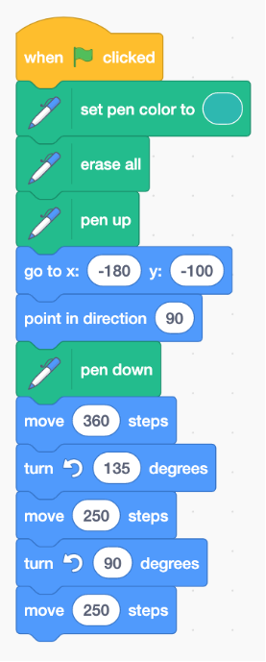
  • Using the pen in Scratch requires us to set a specific set of instructions for the computer to follow.
  • If one of the instructions is not correct, the shape that comes out will not be correct.
  • A lot of the time, using the pen will require a lot of trial and error.

Plugins

  • Computer programs, including Scratch itself, often require what is known as a plugin.
  • A plugin is a special piece of code that extends the functionality of an existing program.
  • The pen tool is a Scratch plugin that you will need to add at the start.
  • Do not forget to do this first by clicking the blue button at the bottom:

Challenge

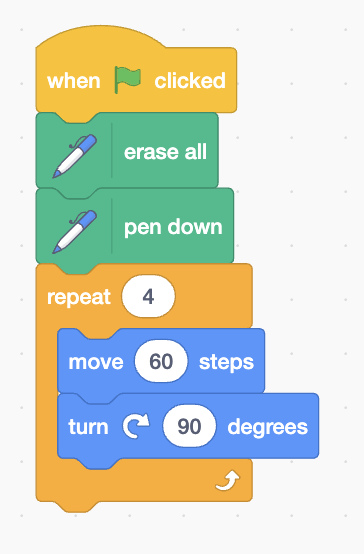
  • What shape will this draw?

Triangle

Square

Circle

Work through Lesson 6.


Extension: begin working on your own game or animation

Task

Presentation Overview

Pupils will experiment with the pen tool in Scratch, giving them a deeper understanding of the importance of order of instructions in computer programming, as well as giving them the chance to experiment with further Scratch functionality.

Close
JB
© 2020 - 2026 J Balfour
!
Keywords
    DragonDocs Management
    Random selector
    Set a timer for how long?
    10:00
    5:00
    3:00
    2:30
    2:00
    1:00
    ...
    Sections
      Binary conversion
      Denary to binary conversion
      Binary to denary conversion
      Feedback 👍
      Accessibility

      Apply a filter:

      Apply theme

      Blue theme
      White theme

      More effects:

      ×
      Loading
      All slideshow files