
!

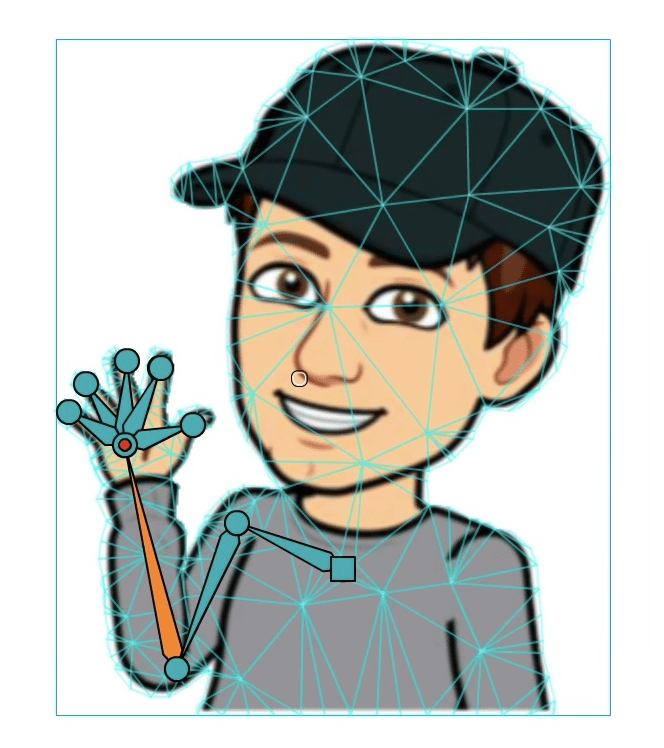
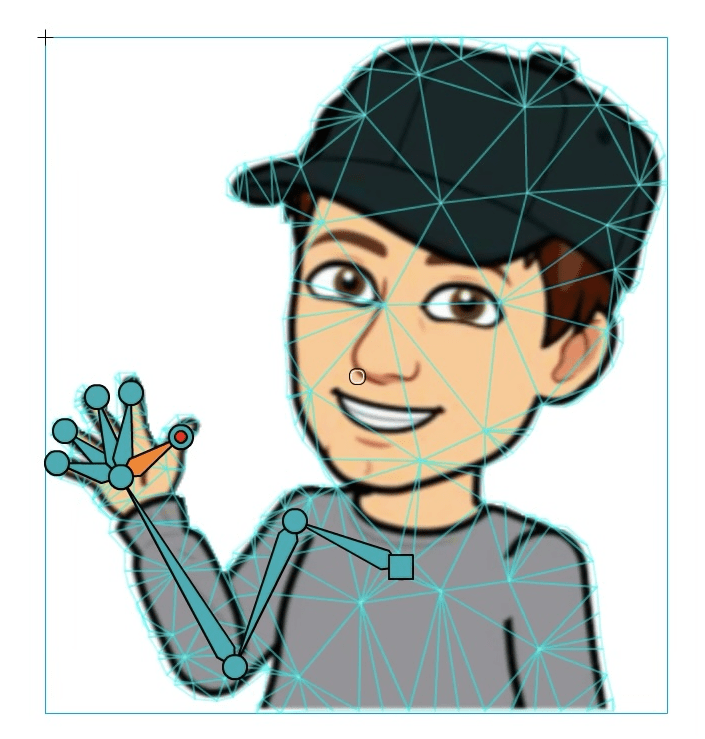
Understand the purpose of rigging
Understand the how to move the rig in a natural way
I can use rigging in an animation to make parts of an object move
Tweening creates the frame between two keyframes.
Keyframes should be created before any changes are made and tweening should only be done after the keyframes are set.
I can follow instructions to use the rig to move a character or object
I can use the rigging tools independently of any instructions to make my character or object move between frames
I have mastered rigging in Adobe Animate and can use keyframes and tweens to help make a smooth animation
The following are key shortcuts for using DragonSlides and reveal.js.
| Key combination | Action |
|---|---|
| →, PAGE DOWN, SPACE | Next slide |
| ←, PAGE UP | Previous slide |
| SHIFT + → | Last Slide |
| SHIFT + ← | First slide |
| B | Whiteboard |
| W | Widget Board/White Screen |
| C | Toggle Notes Canvas |
| DEL | Clears Whiteboard/Notes Canvas |
| S | Show Presenter Mode |
| SHIFT + D | Toggle Dark Mode |
| H | Goes to the Home Slide |
| META + P | Show Print options window |
In order to use the 'Start Remote' feature, you'll need to download JB Slide Controls from the Apple App Store. Once you have this you'll be able to control the slides using the app from you Apple Watch.
DragonSlides and jamiebalfour.scot are copyright © Jamie B Balfour 2017 - 2024, 2010 - 2024. Content is copyright © Jamie B Balfour